Guide · Hotel Lobby AI
The Hotel Lobby AI Trend: Where It Came From and How to Make One
A 2022 live session with one orange wall and one hanging mic turned into the duo video everyone is remaking in 2026. This guide covers where it started, the prompt that holds the look together, and the models that do the rapping.
By the AI Rap Video team9 min read
Short answer
The Hotel Lobby AI trend recreates Quavo and Takeoff’s June 2022 COLORS performance of “Hotel Lobby” (one flat orange room, one microphone hanging between two rappers) with two new people swapped in. It took off on TikTok and X in mid-September 2026. To make one, you need two clear front-facing photos, a prompt that pins down the booth, the hanging mic and the two-shot framing, and a video model that generates the rap audio and the lip-sync together, such as ByteDance’s Seedance 2.0.
Where the Hotel Lobby trend came from
The trend is built on a song and a single performance of it. “Hotel Lobby (Unc & Phew)” came out on May 20, 2022 as the lead single from Quavo and Takeoff’s joint album Only Built for Infinity Links (Quality Control Music and Motown). Murda Beatz, Keanu Beats and Fabio Aguilar produced it, and it reached No. 55 on the Billboard Hot 100.
The look everyone copies comes from June 17, 2022, when the COLORS channel published the duo’s session. Every COLORS show is filmed in a room painted one flat colour. Theirs was orange, with one microphone hanging from the ceiling between them. That upload has passed 100 million views.
Four years later the frame became a template. On September 16, 2026, the TikTok account @glorify_studio posted an AI edit that replaced the two rappers with two characters from the series Suits. It drew about 1.7 million views in twelve days, according to Know Your Meme. Within a week the same shot was hosting cats, historical figures and celebrity couples across TikTok and X.
On September 23, 2026 Quavo reposted the original performance with the caption “The Original #HotelLobby”. It is worth remembering why that matters: Takeoff died in November 2022, a few months after the session was filmed, and some fans find AI versions of the two of them hard to watch. The kindest version of this trend is the one it turned into, where people put themselves and their friends in the booth.
Why the shot works: the five things to copy
Part of why the trend spreads is that the original is easy to describe. Anyone recognises it from five elements, so a model only has to get those five right for the clip to read as “Hotel Lobby”, even with completely different people in it.
| Element | Why it matters | Words that get it into the prompt |
|---|---|---|
| A flat orange room | The colour is the signature; a busy background breaks the reference instantly | “seamless bright orange walls”, “small live-session recording booth” |
| One hanging mic between them | It anchors the composition and gives the two performers something to lean into | “a single silver studio microphone hanging from the ceiling between them” |
| Two people, waist up | A tight two-shot keeps both faces large enough to stay recognisable | “two friends perform together”, “left rapper” / “right rapper” |
| Trading lines | The back-and-forth is the energy of the original; one rapper vibes while the other raps | “they take turns rapping”, “whoever is not rapping vibes to the beat” |
| One continuous handheld shot | Cuts and camera tricks make it look like a different video | “one continuous shot”, “handheld camera with subtle movement” |
The Hotel Lobby AI prompt, explained
There are two ways people make these clips. Motion-transfer tools take the original COLORS video and rebuild it around your references, which copies its timing but starts from footage you do not own. Reference-to-video models start from your photos and a text prompt, and they generate the motion, the beat and the vocals from scratch. We use the second approach. It means every clip is original and you can rap about anything, so your post is less likely to be muted or claimed.
A good reference-to-video prompt for this trend has five parts, in this order: the format and the shot, who is who, the set, the performance and audio, then what to leave out. This is the template our generator sends to Seedance for the Orange Booth stage, filled in with an example:
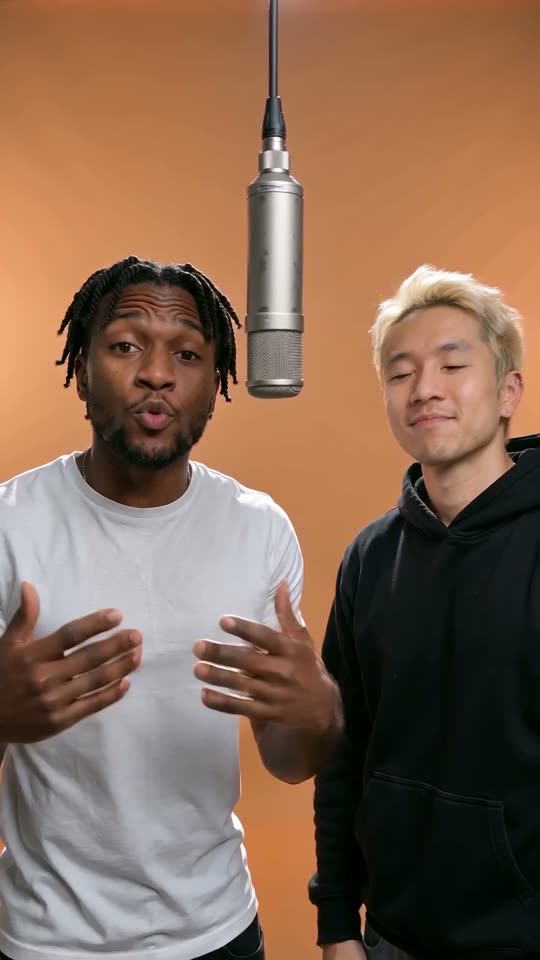
Vertical 9:16 rap music video shot for phones, one continuous shot. Two friends perform together as a rap duo inside a small live-session recording booth with seamless bright orange walls, a single silver studio microphone hanging from the ceiling between them, soft even studio light.
The rapper on the left is the person from image 1 and the rapper on the right is the person from image 2. Keep each face, hairstyle, skin tone and age exactly as in their photo.
A punchy hip-hop beat with deep 808 bass and crisp hi-hats plays from start to finish. They take turns rapping straight to the camera with confident hand gestures and head nods, lips perfectly synced to every word; whoever is not rapping vibes to the beat and ad-libs. They rap in English with clear, rhythmic delivery.
The left rapper raps: "You burned the rice, I could smell it down the hall" The left rapper raps: "Smoke alarm singing, that’s your dinner call" The right rapper raps: "Your soup’s so thin it’s water with a wish" The right rapper raps: "At least my kitchen made an actual dish"
Handheld camera with subtle movement, realistic skin and lighting. No on-screen text, no captions, no subtitles, no logos.
- Say the format first. Models weigh the opening words heavily; “Vertical 9:16 … one continuous shot” stops them from cutting to a wide shot or a second angle.
- Tie each photo to a side. “The rapper on the left is the person from image 1” is what keeps the two identities from blending or swapping places halfway through.
- Describe the set in physical terms. “Seamless bright orange walls” and “hanging from the ceiling between them” work better than naming the song or the channel, which the model may not know and which you should not lean on anyway.
- Write the lyrics into the prompt. With audio-native models quoted words guide the requested performance. Give each line to a side so the mouths move on the right person.
- End with the negatives. Captions and logos are the most common unwanted extras; asking for none keeps the frame clean for your own captions later.
The studio assembles a scene prompt from your choices and asks Seedance 2.0 Mini to create short, clean English rap lines around your topic. The same generation produces the audio and video. You do not need to write a technical prompt.
Photos and lyrics that render well
Clear photos and concise lines give the model useful references. Before submitting, check your inputs against this list.
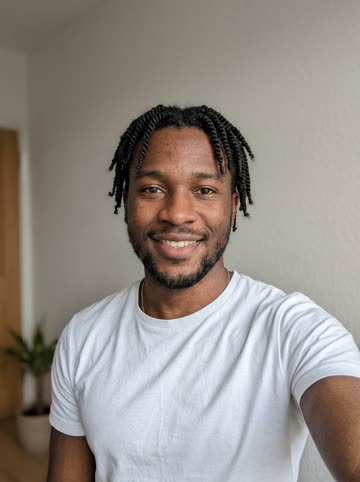
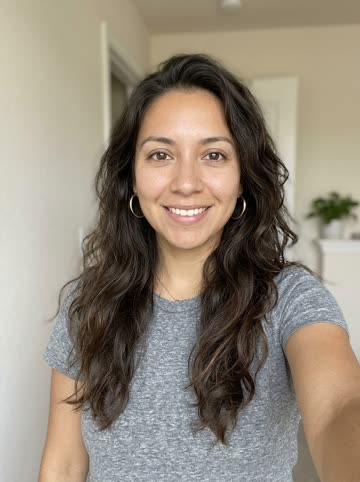
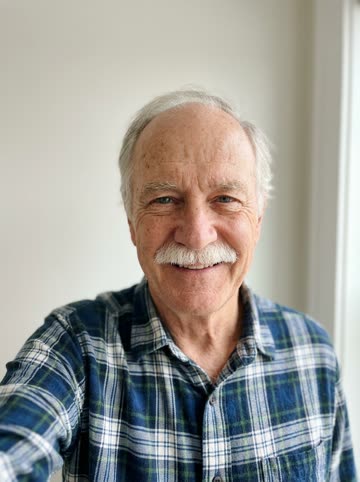
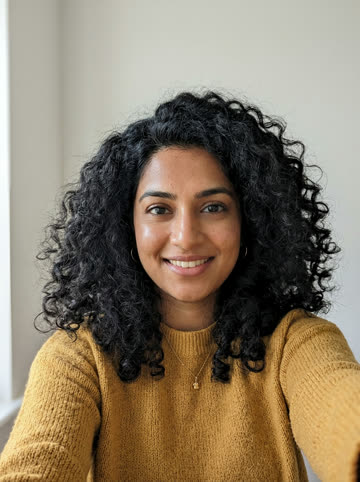
- One person per photo, facing the camera. A front-facing selfie with both eyes visible is the single biggest quality lever. Side profiles and group shots confuse the identity lock.
- Even light, no sunglasses. Harsh shadows and covered eyes get “repaired” by the model, and that is where faces drift.
- Shoulders in frame. The shot is waist up, so a photo that shows your shoulders and clothes gives the model something to continue.
- One photo of two people works too. If you only have a picture of the two of you together, use it, with the left person on the left.
- Short, rhythmic lines. Long sentences make lips race. Nine words or fewer per line keeps the sync tight.
- Your own words. Rapping the original lyrics invites copyright claims; a topic like “who’s the better cook” or “ten years of friendship” is funnier anyway.
| Problem | Usual cause | Fix |
|---|---|---|
| The faces drift or look like strangers | Low-light, angled or crowded photos | Use a clear front-facing photo per person; keep the identity sentence in the prompt |
| No mic, or two mics | The set is described loosely | Name exactly one mic and where it hangs: “a single … hanging from the ceiling between them” |
| Captions or a logo appear | The model imitates social video | Add “No on-screen text, no captions, no subtitles, no logos” |
| Lips fall out of sync | Lines too long for the clip | Fewer, shorter lines; about one line per 2.5 seconds |
| It cuts to another angle | No shot instruction up front | Open with “one continuous shot” and the aspect ratio |
The model behind this Hotel Lobby AI studio
Try AI Rap Video uses Seedance 2.0 Mini through KIE. It creates native audio and video together: the prompt requests an original English verse, a hip-hop beat and a performance with coordinated mouth movements. You provide photo references and a topic; the studio supplies the selected scene and formatting instructions.
The available lengths are 5, 8, 10, 12 and 15 seconds. Choose 480p or 720p and vertical 9:16, square 1:1 or landscape 16:9. A shorter clip suits one concise idea, while a longer clip gives the exchange more room. These are settings for this studio; there is no additional model tier to select.
The cost uses a per-second rate and rounds up once to a whole credit: 480p costs ceil(10 × seconds ÷ 24), and 720p costs ceil(20 × seconds ÷ 24). The table shows each supported combination. Review the displayed amount before you submit; generating a new version is another credit-consuming task.
| Length | 480p credits | 720p credits |
|---|---|---|
| 5 seconds | 3 | 5 |
| 8 seconds | 4 | 7 |
| 10 seconds | 5 | 9 |
| 12 seconds | 5 | 10 |
| 15 seconds | 7 | 13 |
Track the job in My videos. A confirmed failed task returns its reserved credits. If a submission is still awaiting confirmation, check that task before sending another request. Download a finished MP4 within 14 days; uploaded photos expire after 24 hours.
Review your Hotel Lobby clip, moment by moment
Once a task finishes, watch the downloaded MP4 with sound before you share it. Review the opening, the exchange between performers and the ending separately. This makes it easier to decide whether to keep the result or adjust a specific input for another attempt.
- Check the cast. Compare each performer with the corresponding photo. Look at the face, hairstyle and clothing, then check that the two people remain distinct as they move.
- Listen to the verse. Check whether names and topic details are understandable. If the idea is crowded, shorten the topic to one event or joke. A concise topic gives the short performance a clearer focus.
- Watch the exchange. Look for coordinated mouth movements, a shared scene and a coherent performance around the microphone. AI generates a fresh interpretation for each task; a new attempt can differ even with the same settings.
- Review the frame. Use 9:16 for a vertical post, 1:1 for a square composition or 16:9 for a wider scene. Choose the format before generating so the composition is requested in the intended shape.
- Save the result. Download the finished MP4 within 14 days. If you generate another version, review its displayed credit cost first; each new task reserves credits separately.
For a confirmed failed task, reserved credits return to your balance. A task that is still pending is different: check its status in My videos before submitting again. Use the Hotel Lobby studio when you are ready to try the revised photos or topic.
Make your own Hotel Lobby video
- Open the Hotel Lobby AI generator and add two photos, one person each, or one photo of you both.
- Keep the Orange Booth stage selected.
- Optionally type what the two of you should rap about. Leave it blank and the bars are about being the best duo in the game.
- Download and share your clip
Sources
- Hotel Lobby (Unc & Phew), Wikipedia
- Quavo “Hotel Lobby” AI Trend, Know Your Meme
- Quavo brings back the original Hotel Lobby performance, The Source
- Seedance 2.0 official launch, ByteDance Seed
- Choose Seedance 2.0 Mini at 480p or 720p for a 5, 8, 10, 12 or 15-second video. Select 9:16, 1:1 or 16:9; the studio shows the exact credit cost before you submit.
- Higgsfield Genjutsu
- Hotel Lobby AI video trend, CapCut Dreamina